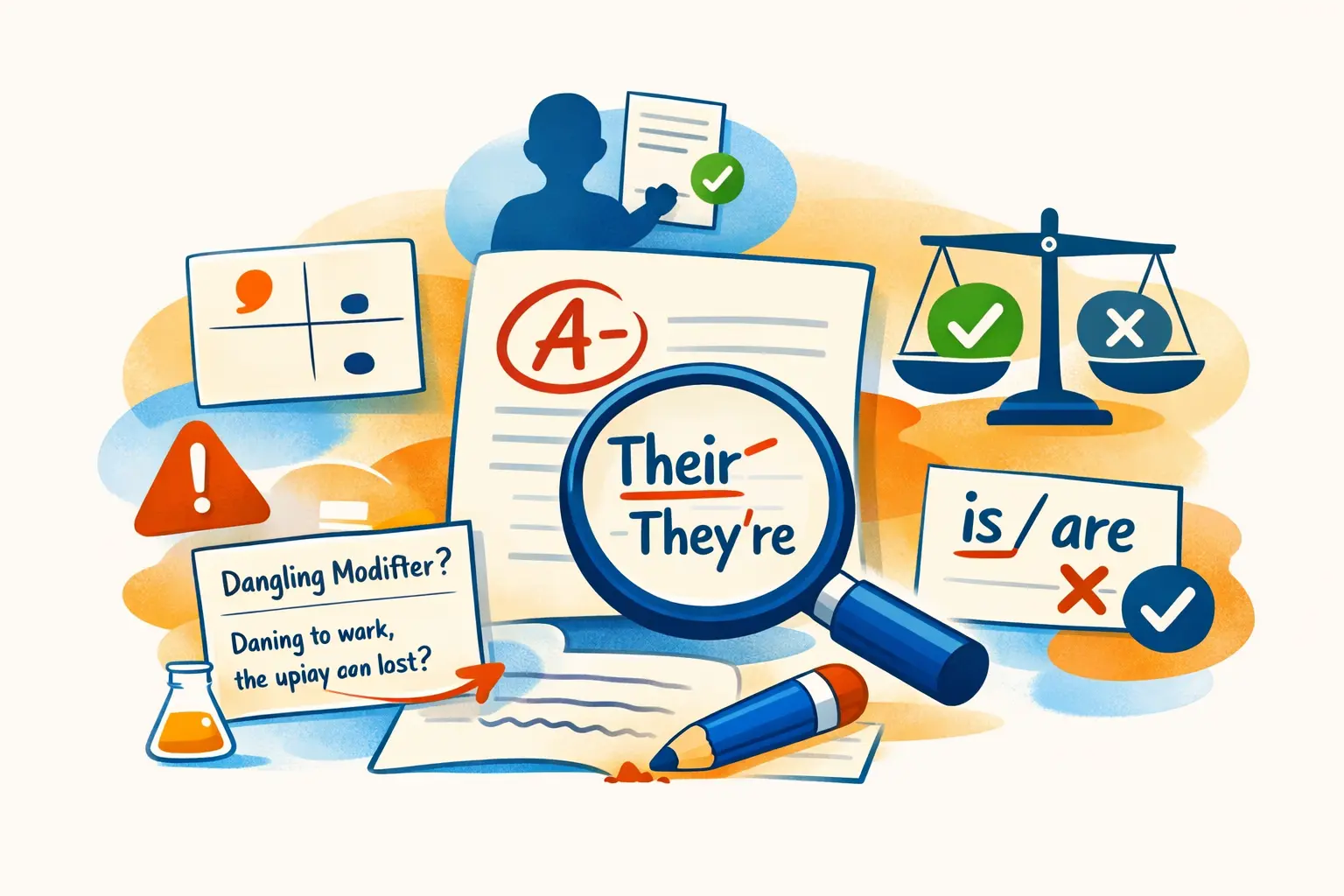
You've sent the email. Then you see it: "their" where you meant "they're," right there in the second sentence, sent to the entire project team. Nobody replies about it. Nobody has to. You already know.
Grammar mistakes in professional writing don't just look sloppy. They create doubt. If someone can't get the basics right, what else are they getting wrong? That's the quiet calculation your reader makes, and it takes about two seconds. This article covers five of the most common grammar mistakes in work emails and documents, with clear fixes you can start using today.
1. Their, They're, and There
This is the classic. Most people know the difference when they stop to think about it. The problem is that work emails get written fast, often between meetings or while juggling three other tasks.
Their is possessive. It belongs to them. "Their report is due Friday."
They're is a contraction of "they are." "They're joining the call at 3."
There refers to a place or introduces a statement. "The files are over there." "There are two options."
The Quick Fix
Read the sentence and swap in "they are." If it still makes sense, you want "they're." If you're talking about something that belongs to a group, it's "their." Everything else is "there."
This sounds basic, but a 2023 analysis of business communications by Grammarly found that confused homophones (words that sound alike but differ in meaning) ranked among the top writing issues in workplace English. Speed is usually the culprit, not ignorance.
2. Comma Splices
A comma splice happens when you join two complete sentences with just a comma. It's one of the most common grammar errors in professional emails, and most people don't even realize they're doing it.
Wrong: "The client approved the design, we can start development."
Both halves of that sentence could stand on their own. Sticking a comma between them isn't enough.
Right (three options):
- Period: "The client approved the design. We can start development."
- Semicolon: "The client approved the design; we can start development."
- Conjunction: "The client approved the design, so we can start development."
When Comma Splices Sneak In
They tend to show up when you're writing quickly and your thoughts connect logically. Your brain knows the two ideas are related, so a comma feels natural. But grammar doesn't care about your intent. Two independent clauses need more than a comma to hold them together.
A good test: cover the comma with your finger and read each side separately. If both sides work as complete sentences, you need a period, semicolon, or conjunction.
3. Passive Voice Overload
Passive voice isn't a grammar error in the strict sense. It's grammatically correct. But heavy use of it makes professional writing vague, wordy, and hard to follow.
Passive: "The deadline was missed."
Active: "The design team missed the deadline."
See the difference? The passive version hides who did what. In a work context, that ambiguity creates problems. People need to know who's responsible, what happened, and what comes next.
When Passive Voice Is Fine
Sometimes passive voice is the right call. If the actor doesn't matter ("The server was updated overnight") or if you're deliberately softening a message ("Mistakes were made" in a diplomatic email), passive voice serves a purpose.
The problem is defaulting to it. According to writing research from the Plain Language Action and Information Network (a U.S. federal plain language initiative), active voice makes documents clearer and reduces the time readers spend understanding them.
A rough guideline: if more than 20% of your sentences are passive, your writing will start to feel bureaucratic.
Spotting Passive Voice
Look for "was," "were," "been," or "being" followed by a past participle. "The proposal was reviewed by the team" is passive. "The team reviewed the proposal" is active. Same information, fewer words, more clarity.
4. Dangling Modifiers
This one is sneaky. A dangling modifier is an introductory phrase that doesn't connect to the right subject in the sentence.
Wrong: "After reviewing the data, the report was updated."
Who reviewed the data? The report didn't review anything. But that's what the sentence says if you read it literally.
Right: "After reviewing the data, the analyst updated the report."
Now the introductory phrase ("After reviewing the data") connects to the person who actually did the reviewing.
Why This Matters at Work
Dangling modifiers are everywhere in professional writing. "Running behind schedule, the meeting was rescheduled." "Based on our analysis, a new approach is recommended." Each one adds a small moment of confusion. The reader has to pause, rewind, and figure out who's actually doing the action.
In a quick Slack message, nobody cares. In a proposal to a client, a board update, or a project brief, these small confusions add up. They make your writing harder to follow and less precise.
The Fix
After you write an introductory phrase, check: does the very next noun (the subject of the sentence) match who or what the phrase describes? If not, rewrite it so the right subject comes first.
5. Subject-Verb Agreement with Tricky Nouns
Most people don't write "the team are meeting" (though that's actually correct in British English). The harder cases involve sentences where extra words sneak between the subject and the verb.
Wrong: "The list of action items were sent out."
Right: "The list of action items was sent out."
The subject is "list" (singular), not "items" (plural). The prepositional phrase "of action items" is a distraction. Your brain grabs the nearest noun and matches the verb to it.
Common Traps
- "Each of the..." takes a singular verb. "Each of the reports was reviewed." (Not "were reviewed.")
- "None of the..." is tricky. Traditionally singular ("None of the data is ready"), though plural is increasingly accepted in informal writing.
- Company names are singular. "Microsoft is releasing an update." Not "Microsoft are."
- Collective nouns (team, staff, committee) are singular in American English. "The team is meeting at noon."
The pattern: find the true subject, ignore everything between it and the verb, and match accordingly.
How to Catch These Mistakes Before You Hit Send
Knowing the rules is one thing. Catching mistakes in your own writing is another. Your brain auto-corrects what you meant to write, which makes self-editing unreliable, especially when you're moving fast.
A few practical habits help:
- Read the message aloud. Your ear catches what your eye skips. If a sentence sounds awkward when spoken, it's probably wrong.
- Slow down on important emails. Not every Slack message needs a proofread. But client-facing emails, team announcements, and anything going to leadership deserve an extra 30 seconds.
- Use a tool that works where you write. Most grammar checkers only cover specific apps. If you're writing in Outlook, Teams, Notion, or a CRM, you need something that works across all of them.
WindowSill takes a different approach to this. Instead of being a browser extension or a plugin for one app, it works as a system-wide command bar on Windows. Select any text in any application, pull up WindowSill, and run a spell check or AI-powered rewrite right there. No copying into a separate tool, no switching windows. It catches the kinds of mistakes covered in this article across every text field on your desktop, whether you're in Outlook, Slack, Notion, or a CRM.
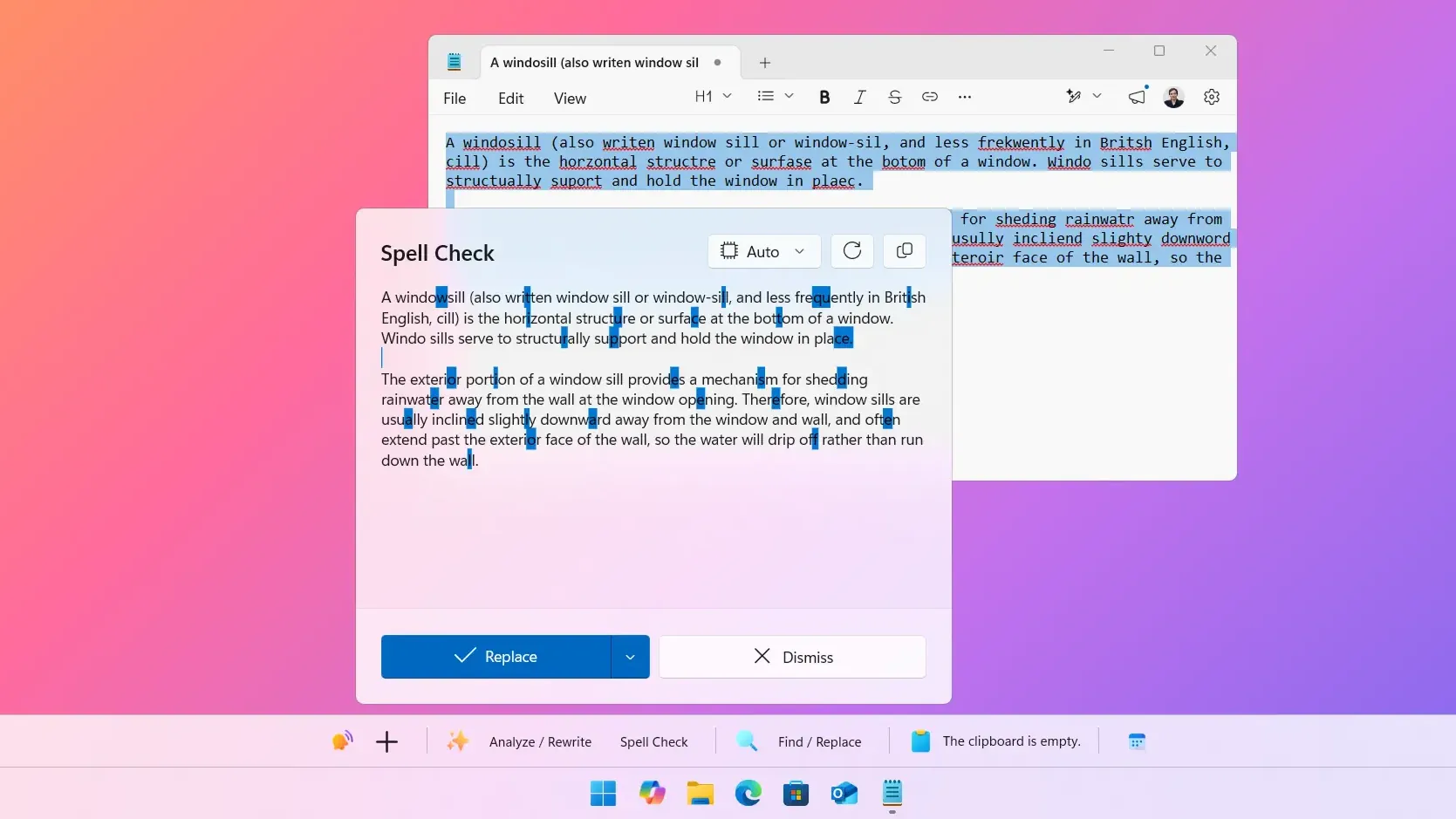
If you're interested in how it compares to dedicated grammar tools, there's a detailed comparison of WindowSill and Grammarly that covers the trade-offs. And if privacy matters to you, WindowSill also supports local AI models through Ollama, so your writing never has to leave your machine.
Frequently Asked Questions
What is a comma splice?
A comma splice occurs when two independent clauses (complete sentences) are joined with only a comma and no coordinating conjunction. For example, "The project is done, we can celebrate" should use a period, semicolon, or add a conjunction like "so" after the comma.
Is passive voice always wrong?
No. Passive voice is grammatically correct and sometimes the better choice, especially when the actor is unknown or unimportant. The problem is overusing it, which makes writing vague and wordy. Aim for active voice as your default and use passive voice intentionally.
How do I know if a modifier is dangling?
Check whether the introductory phrase connects to the subject that follows it. In "After finishing the report, coffee was needed," the coffee didn't finish the report. The fix: "After finishing the report, I needed coffee." The phrase should describe whoever or whatever comes right after it.
Why do smart people still mix up their, they're, and there?
Usually speed, not confusion. Most professionals know the difference when they pause to think about it. But work emails get written between meetings, on phones, and under time pressure. That's when homophones slip through, because your brain processes meaning faster than it checks spelling.
Can grammar tools catch all of these mistakes?
Most grammar tools handle homophones and comma splices well. Passive voice detection varies. Dangling modifiers and subject-verb agreement with complex sentences are harder for automated tools. That's why building the habit of reading your writing aloud still matters, even with a grammar checker running.
Good grammar won't make a bad idea sound smart. But bad grammar will make a smart idea look careless. The five mistakes in this article are worth learning once and checking for always. Your writing is already better than you think. Just slow down long enough to prove it.