This release packs more extensions than any update before it. Six new ones, to be exact. On top of that, you can now make the bar look the way you want with custom backgrounds, colors, and acrylic effects.
Here's what shipped.
Six new extensions
We've been hearing the same requests over and over: "Can WindowSill show the date?", "Can it convert video like it does for pictures?", "Can I search for text on screen?" So we built them.
All six are available right now in the Extensions marketplace.
Date
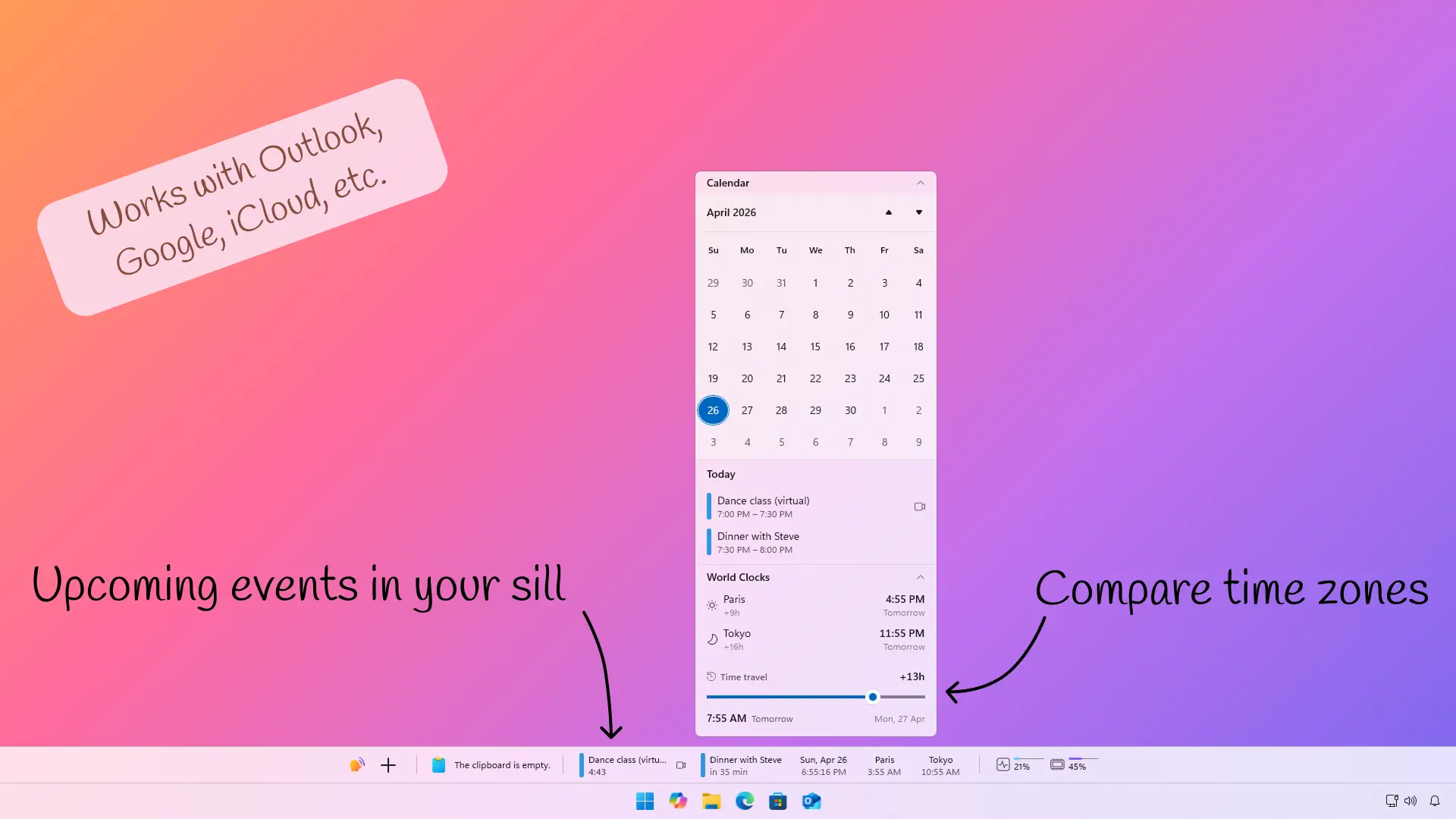
This one's bigger than the name suggests. The Date extension gives you your calendar, world clocks, and upcoming meetings at a glance, right on the bar. It connects to Microsoft Outlook, Google Calendar, Apple iCloud and any CalDAV, shows countdown timers for your next meeting, notify you when it's time to leave your place based on the calculated commute for an event, can do full-screen notifications you can't miss, and lets you join Teams, Zoom, Google Meet, Webex, or Slack calls with one click. You can also pin world clocks to the bar with live times for any timezone.
If you've ever missed a meeting because you didn't see the notification, this extension fixes that.
Inline Terminal
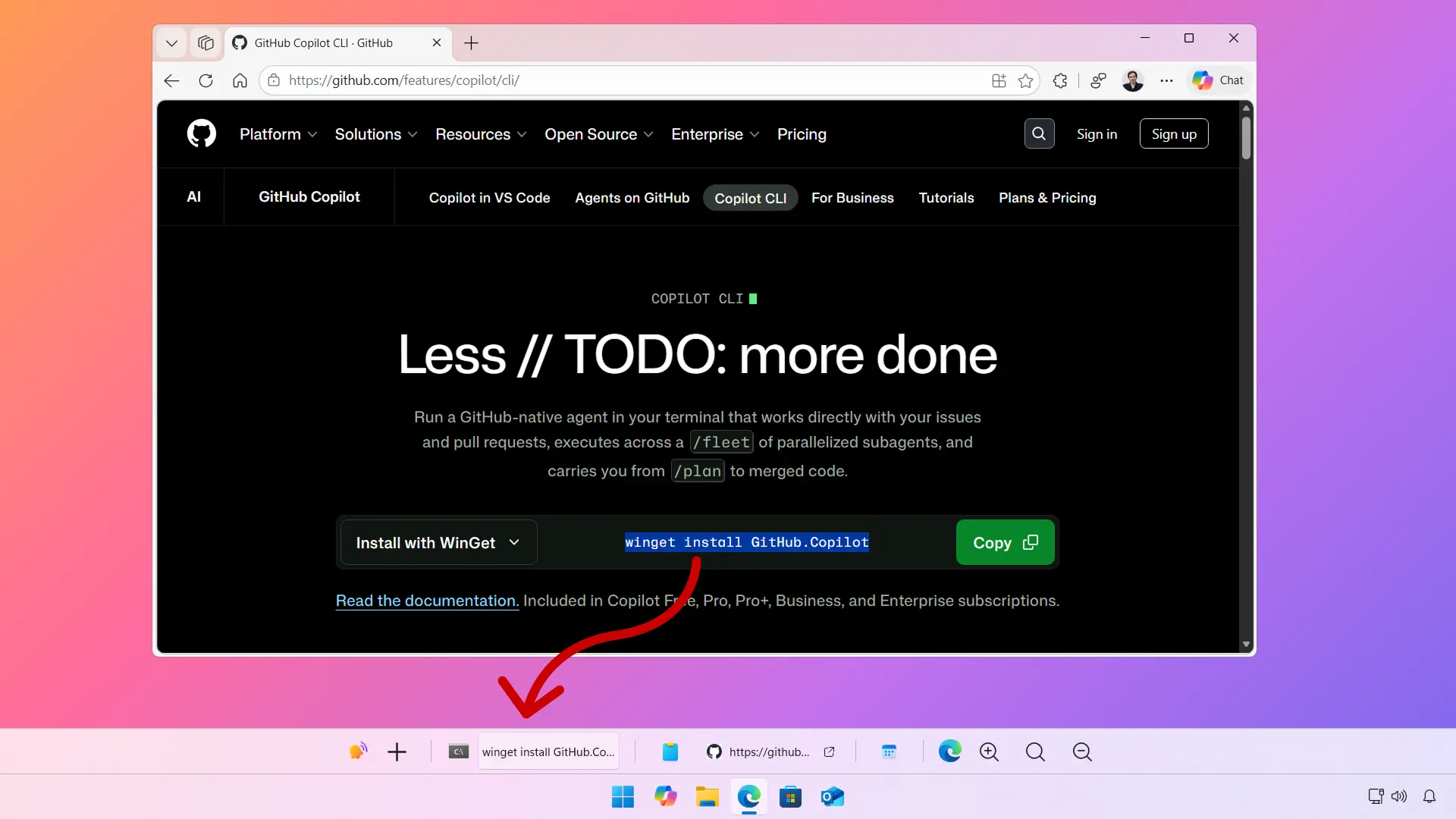
Select any shell command on screen or a script file (.ps1, .bat, .cmd, .sh) in File Explorer and run it right from the bar. No copy-pasting into a terminal window. You pick your shell (PowerShell 7, Windows PowerShell, CMD, or WSL), set the working directory, and optionally run as administrator. Live output shows up in the popup, and you can copy results or re-run with a single click.
If you're someone who runs a lot of quick commands throughout the day, this removes the round-trip to a terminal window.
Special thanks to Arlo Godfrey, who contributed to some features implemented in this extension!
Universal Commands
Create custom commands that live on your bar and trigger keyboard shortcuts or run PowerShell scripts with one click. You can define multi-key chords (like Ctrl+K then Ctrl+D), scope commands globally or to a specific app, and customize their icons. It's your workflow on a button.
In the demo below, a command was created to automatically Google the selected text from any app.
Text Finder
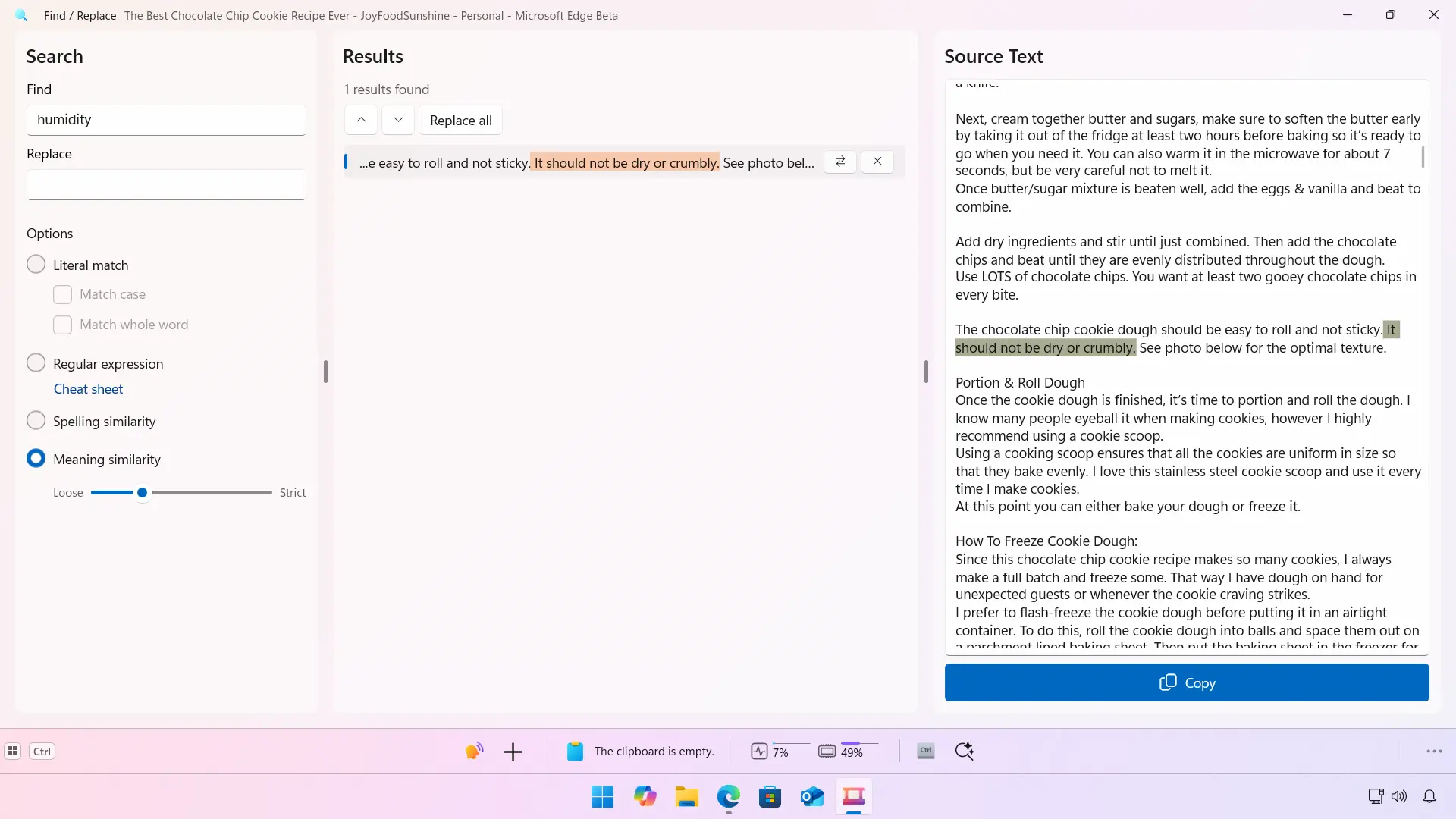
Search and replace text you select in any app without copy-pasting into a separate editor. You can also drag and drop Word, PDF, or plain-text files from File Explorer to search inside them without opening them. Four search modes cover the range: literal matching, regex, spelling similarity (catches typos and near-matches), and meaning similarity powered by a free, local AI model that finds relevant results even when the exact words differ. Fully offline, fully private.
Video Helper
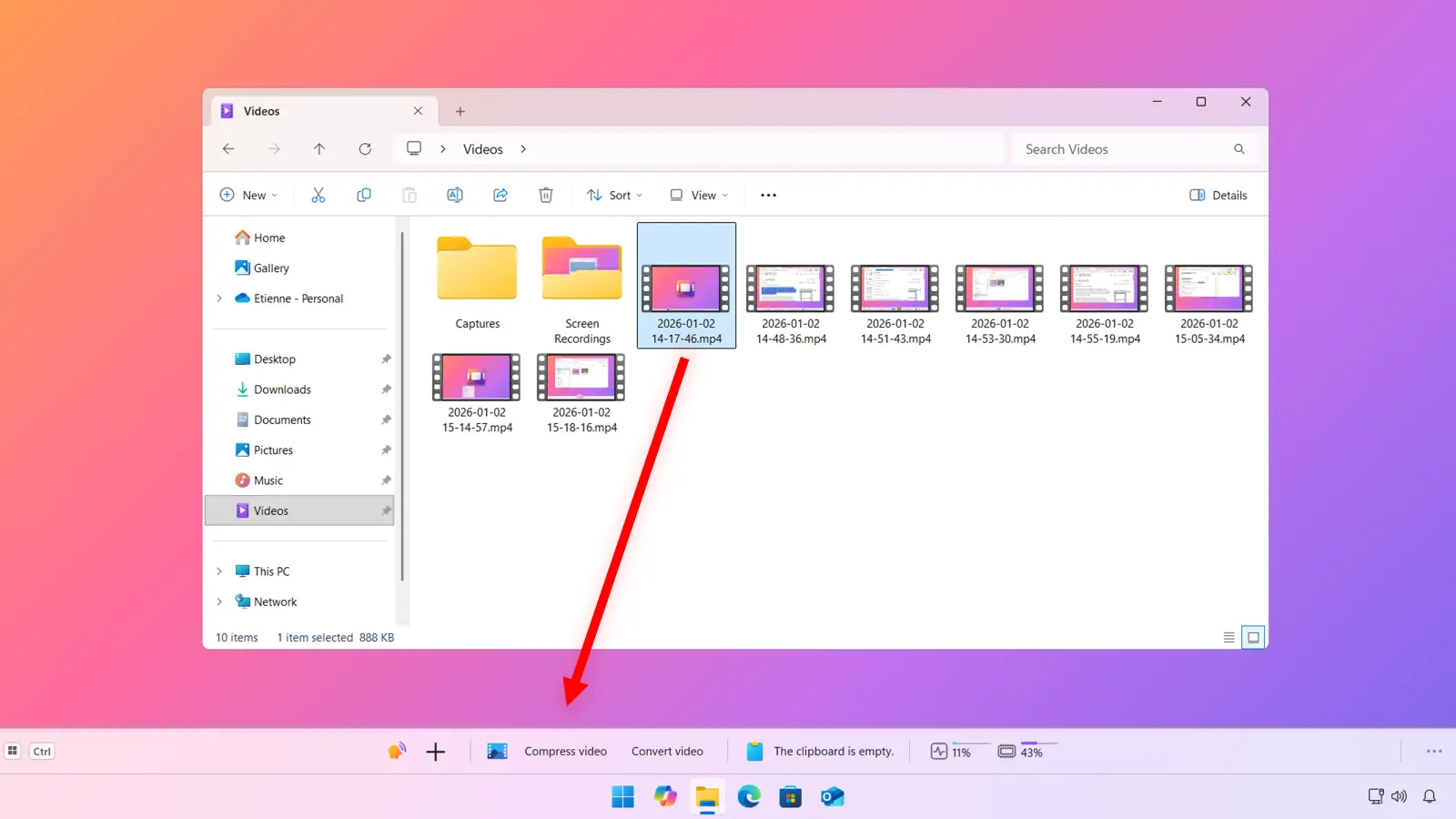
Drag and drop videos into WindowSill for instant processing. Convert between MP4, AVI, MOV and other formats, or compress to reduce file size. Works with single files or entire batches.
CharStats
This is a new third-party extension made by a developer in his spare time. It shows the number of characters in the selected text from any app. Useful if you write a lot and need to stay within character limits (social media posts, meta descriptions, commit messages).
Make the bar yours
Up until now, the WindowSill bar was trying to perfectly match the same look than Windows 10 / 11. This is great to integrate the app with the system, making it look like it's part of the shell. However, we kept getting asked: "Can I change the background?" Fair enough.
Custom backgrounds
You can now set a solid color or an image as the bar background. Head to Personalization in settings, and you'll find the new options there.
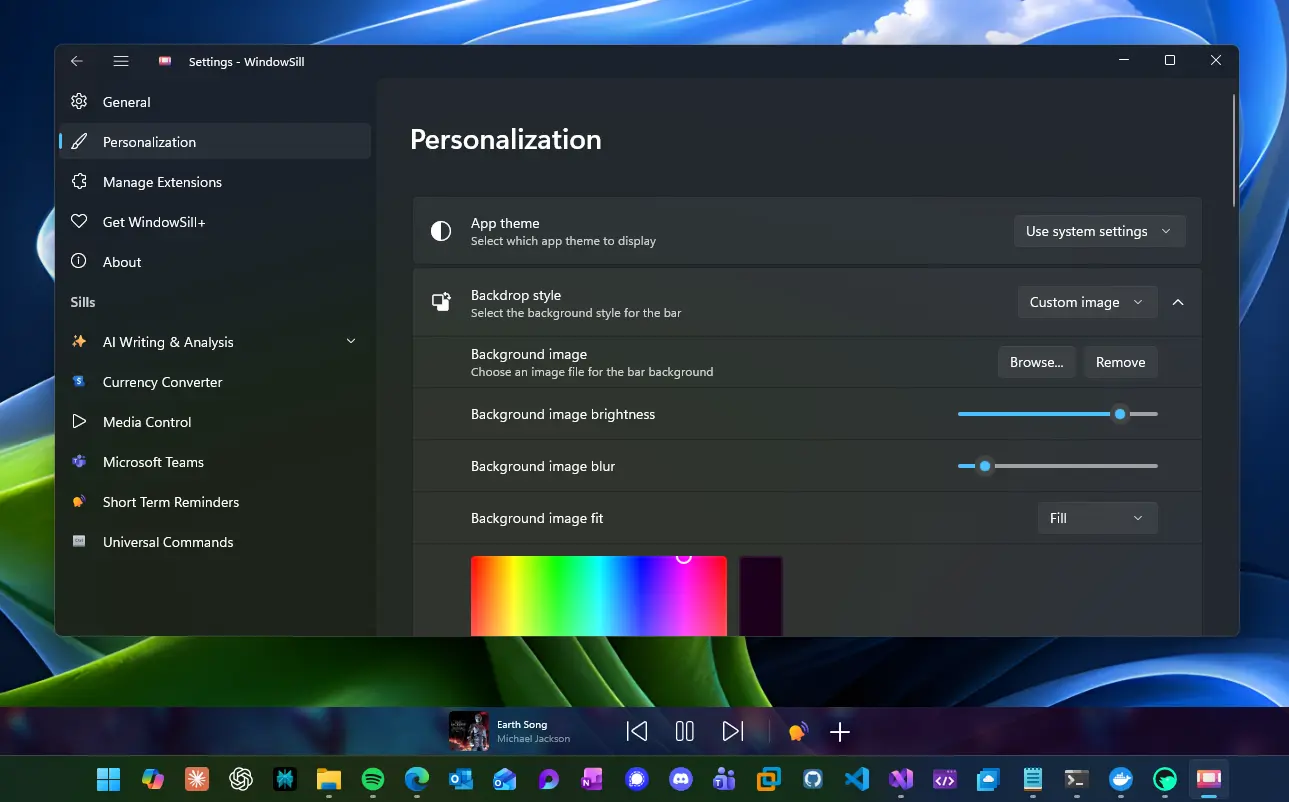
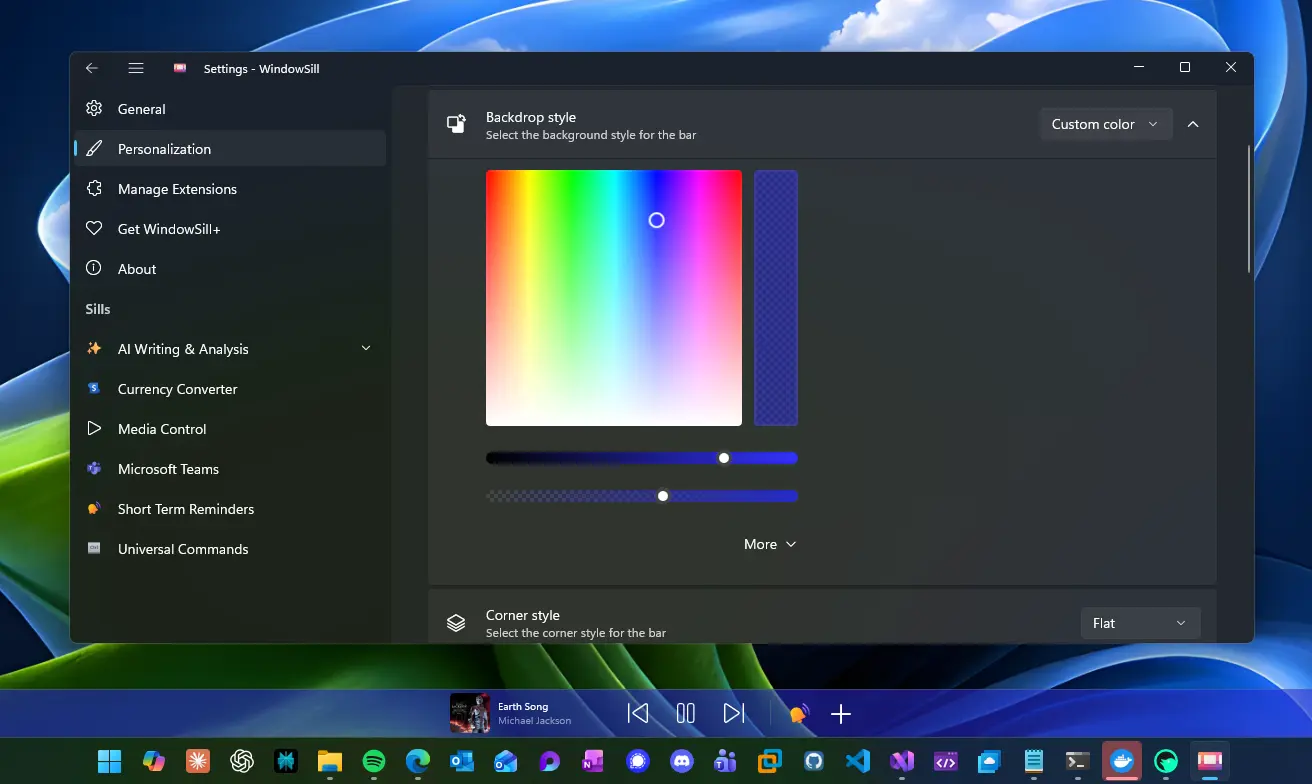
A solid color works well if you want the bar to match your desktop theme. An image background is great if you want something more personal, like a texture or a gradient that fits your wallpaper.
Acrylic settings
The acrylic transparency effect now has its own set of controls. You can adjust how much of the background bleeds through the bar, or turn acrylic off entirely if you prefer a flat look. These options are also in Personalization settings.
WindowSill Pro: remote extension install
For teams using WindowSill Pro, administrators can now install extensions for their users directly from the dashboard. Both public marketplace extensions and private organization extensions are supported.
This means IT admins can standardize their team's setup without asking everyone to manually browse and install extensions one by one.
That's it for 0.9.22. Six new extensions, a more personal bar, and a bunch of stability fixes. If you run into anything, let us know on Discord or GitHub.