I sat through a 45-minute product meeting last week. Lots of good discussion, a few decisions made, and someone said "I'll send out notes after." The notes arrived three hours later: a wall of text that read more like a transcript than a summary. No clear decisions. No owners. No deadlines. I read it twice and still wasn't sure what I was supposed to do next.
This happens constantly. Microsoft Teams generates meeting notes automatically now, and so do other tools. But the output is often too verbose, too literal, and missing the one thing that matters: what changed and who's doing what.
Good meeting notes aren't a record of everything that was said. They're a record of everything that was decided.
Why most meeting notes fail
The problem isn't that people don't take notes. It's that they take the wrong kind of notes.
Most note-takers fall into one of two traps. The first is the transcript trap: writing down everything as it happens, capturing every tangent and side conversation. The result is thorough but useless. Nobody reads three pages of stream-of-consciousness notes to find the one action item buried in paragraph seven.
The second trap is the too-brief summary. "We discussed the roadmap and agreed to move forward." Move forward with what? Who's moving it forward? When? This kind of note creates the illusion of documentation without the substance.
AI-generated meeting summaries from tools like Teams or Zoom Companion land somewhere in the middle. They capture the gist, but they often miss nuance, misattribute decisions, or lump everything together without clear structure. I've seen Teams notes that accurately transcribed what people said but completely missed the actual decision the group landed on.
The structure that works
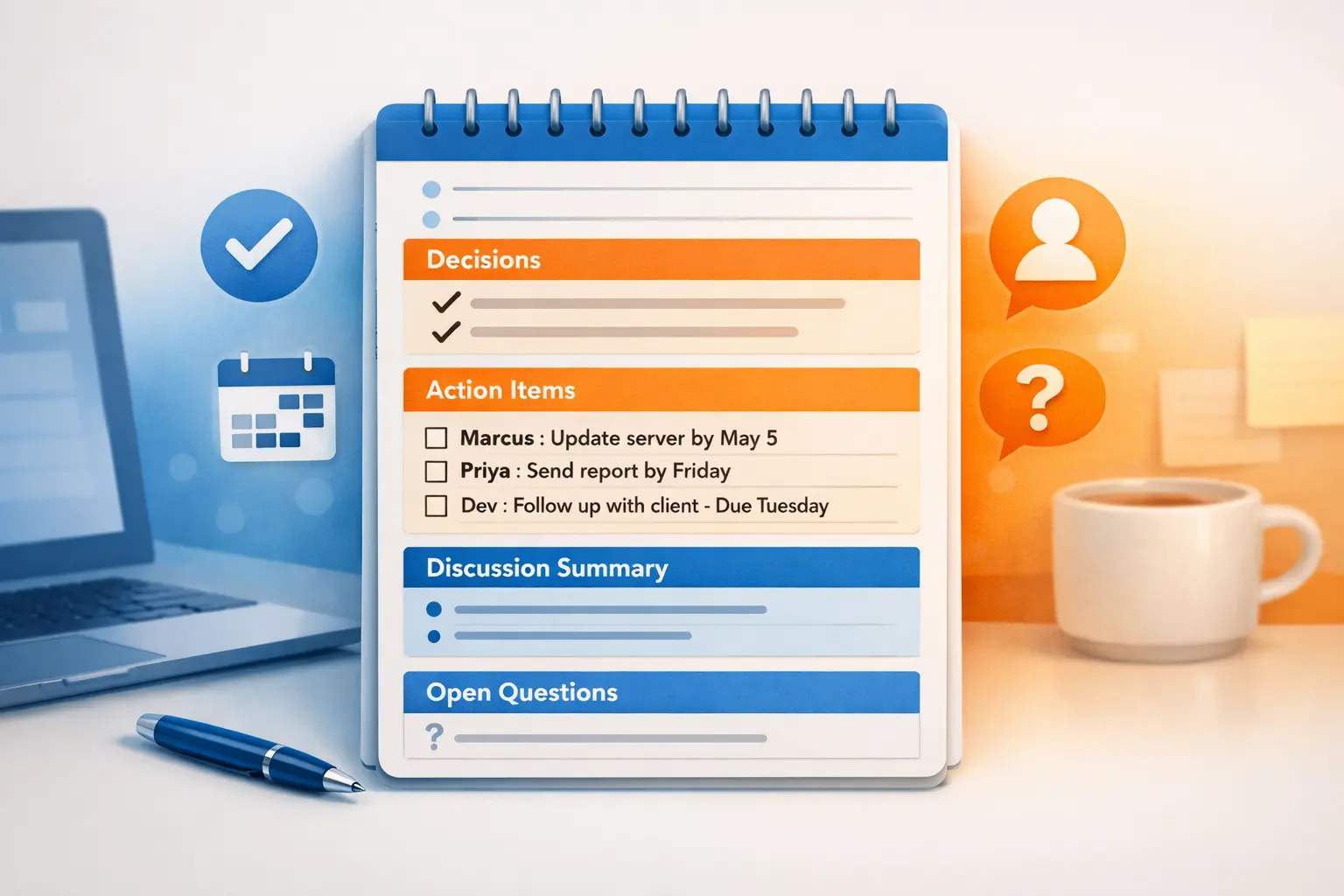
Good meeting notes follow a consistent format. Here's one that I've found works well for most team meetings, standups, and project check-ins.
1. Header: what, when, who
Start with the basics. Meeting title, date, and the list of attendees. This takes ten seconds and saves confusion later when someone asks "Was Sarah in that meeting where we decided X?"
Project Alpha Weekly Sync
April 28, 2026
Attendees: Sarah, Marcus, Dev, Priya
2. Decisions made
This is the most important section. Put it right at the top, before any discussion summary. Decisions are the reason meetings exist. If no decisions were made, that's worth noting too (and maybe worth questioning why the meeting happened).
Be specific. "We decided to delay the launch" is vague. "We're pushing the launch from May 5 to May 19 to finish the payment integration" tells people exactly what changed and why.
3. Action items with owners and deadlines
Every action item needs three things: what needs to happen, who's responsible, and when it's due. If any of these are missing, the action item will slip.
- [ ] Marcus: Update the staging environment by May 2
- [ ] Priya: Send revised designs to the team by EOD Friday
- [ ] Dev: Schedule a follow-up with the API team this week
Notice the pattern. Name first, then task, then deadline. This makes it easy to scan for your name and know what you owe.
4. Discussion summary (brief)
This is where most people start, but it should come last. Keep it short. Two to four bullet points covering the key topics discussed, any context that explains the decisions above, and open questions that still need answers.
Don't try to recreate the conversation. Summarize the reasoning, not the dialogue.
5. Open questions and parking lot
Some topics come up that can't be resolved in the current meeting. Rather than letting them disappear, capture them explicitly. This gives them a home and signals to the group that they haven't been forgotten.
Tips for writing notes faster
Taking good notes during a meeting is hard. You're trying to listen, participate, and document at the same time. A few things that help:
Use a template. Copy the same structure into every meeting note before the meeting starts. Having the sections pre-built means you're just filling in blanks instead of deciding how to organize on the fly.
Write decisions in real time. When someone says "OK, let's go with option B," write it down immediately. Don't wait until after the meeting. Decisions are the easiest things to forget because the group moves on quickly.
Don't try to capture everything. If a point was discussed but didn't lead to a decision or action item, it probably doesn't need to be in the notes. Be ruthless about what earns a spot.
Clean up within 15 minutes. The longer you wait, the more context you lose. A quick pass right after the meeting to tighten language and fill gaps makes a huge difference. If you can't clean them up immediately, do it within the hour.
When AI-generated notes fall short
Auto-generated meeting notes from Teams, Zoom, and similar tools are getting better. They're a decent starting point. But they still struggle with a few things.
They don't distinguish decisions from discussion. An AI transcript captures what was said, but it often can't tell the difference between someone proposing an idea and the group agreeing to it. You still need a human (or a smarter prompt) to identify the actual decisions.
They over-include. AI notes tend to be complete, which sounds good until you realize "complete" means every tangent and off-topic aside is given equal weight. The five minutes spent debating where to order lunch shouldn't take up the same space as the decision to change the project timeline.
They miss implicit context. When someone says "Let's do what we did last time," the AI doesn't know what happened last time. A human note-taker (or an AI tool that lets you add context) can fill that gap.
The best approach I've found is to let the auto-generated notes capture the raw material, then clean them up into the structure above. This gives you the safety net of a full transcript with the usability of well-organized notes.
Cleaning up messy notes with AI (the right way)
Here's where it gets practical. You have a page of raw meeting notes, maybe from a Teams transcript, maybe from your own scribbled typing during the call. They're messy, they're too long, and they need structure.
You could spend 15 minutes reformatting them manually. Or you could select the text and let AI do the heavy lifting.
WindowSill has a few built-in actions that are tailor-made for this. Select your messy notes in whatever app you're working in (Notion, OneNote, Outlook, a plain text file, anything), and use:
- Summarize to condense verbose notes into a tight overview
- Extract Action Items to pull out every task, owner, and deadline from the noise
- Bottom Line Up Front to reorganize your notes so the key takeaway comes first
These work directly on selected text, right where you're already working. No copy-pasting into a chat window, no switching apps. You select, you pick an action, and the cleaned-up version appears.
The difference between this and asking ChatGPT to "summarize my meeting notes" is context switching. With WindowSill, you stay in your note-taking app. The AI comes to your text instead of making you go to it. If you've read why WindowSill isn't ChatGPT, this is a good example of that philosophy in practice.
You can also create a custom prompt if your team has a specific notes format. Something like "Reorganize these meeting notes into Decisions, Action Items, and Discussion Summary" will produce consistent output every time. And if your notes contain sensitive information, you can run the AI locally with Ollama so nothing leaves your machine.
A quick template you can copy
Here's a ready-to-use template. Paste it into your note-taking app before your next meeting.
## [Meeting Name]
**Date:** [Date]
**Attendees:** [Names]

### Decisions
-

### Action Items
- [ ] [Owner]: [Task] by [Deadline]

### Discussion Summary
-

### Open Questions
-
Keep it simple. The value of meeting notes isn't in their length or polish. It's in whether your team can open them a week later and know exactly what was decided, who's doing what, and what's still unresolved.
Frequently Asked Questions
How long should meeting notes be?
For a typical 30-60 minute meeting, aim for half a page to one page. If your notes are longer than the meeting itself, you're including too much. Focus on decisions, action items, and brief context.
Should I send meeting notes to everyone who attended?
Yes, and also to anyone who was invited but couldn't make it. Send them within an hour of the meeting ending. The faster notes go out, the more likely people are to read them and flag corrections.
What's the best app for meeting notes?
Use whatever your team already uses. OneNote, Notion, Obsidian, even a shared text file. The format matters more than the tool. As long as notes are searchable and shareable, you're fine.
Can AI replace a human note-taker?
Not yet. AI transcription and summarization are good starting points, but they still miss decisions, context, and nuance. The best workflow is to let AI capture the raw material and then have a person (or a targeted AI prompt) clean it up into a structured format.
How do I get my team to actually read meeting notes?
Structure helps more than anything. When people know the decisions are always at the top and their action items are clearly listed with their name, they'll start checking the notes. Keep them short, keep them consistent, and send them quickly.
Good meeting notes take five minutes of effort and save hours of "wait, what did we decide?" conversations. Start with the template above, clean up the messy parts with AI, and your team will stop ignoring those post-meeting emails.