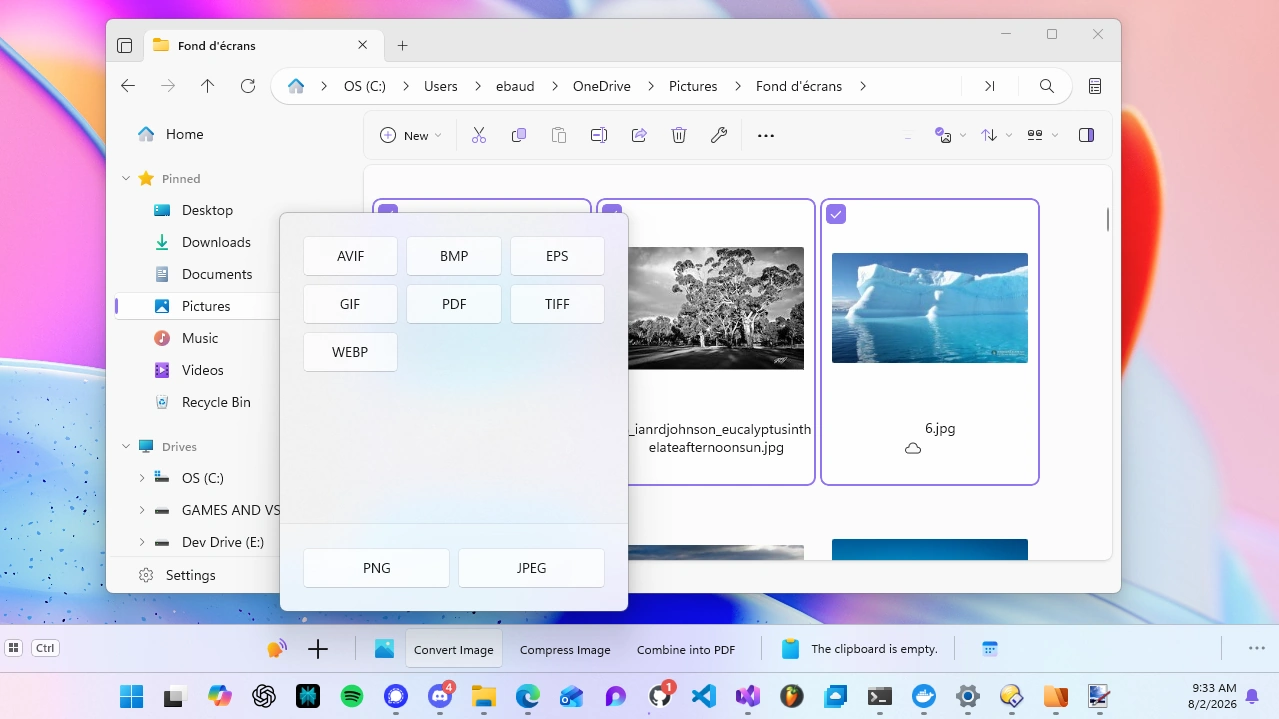
Not everyone uses File Explorer. Plenty of people replaced it years ago with something faster, more feature rich, or that they can bend to their exact workflow. Until now, those people got less out of WindowSill than File Explorer users did, and that always bothered me.
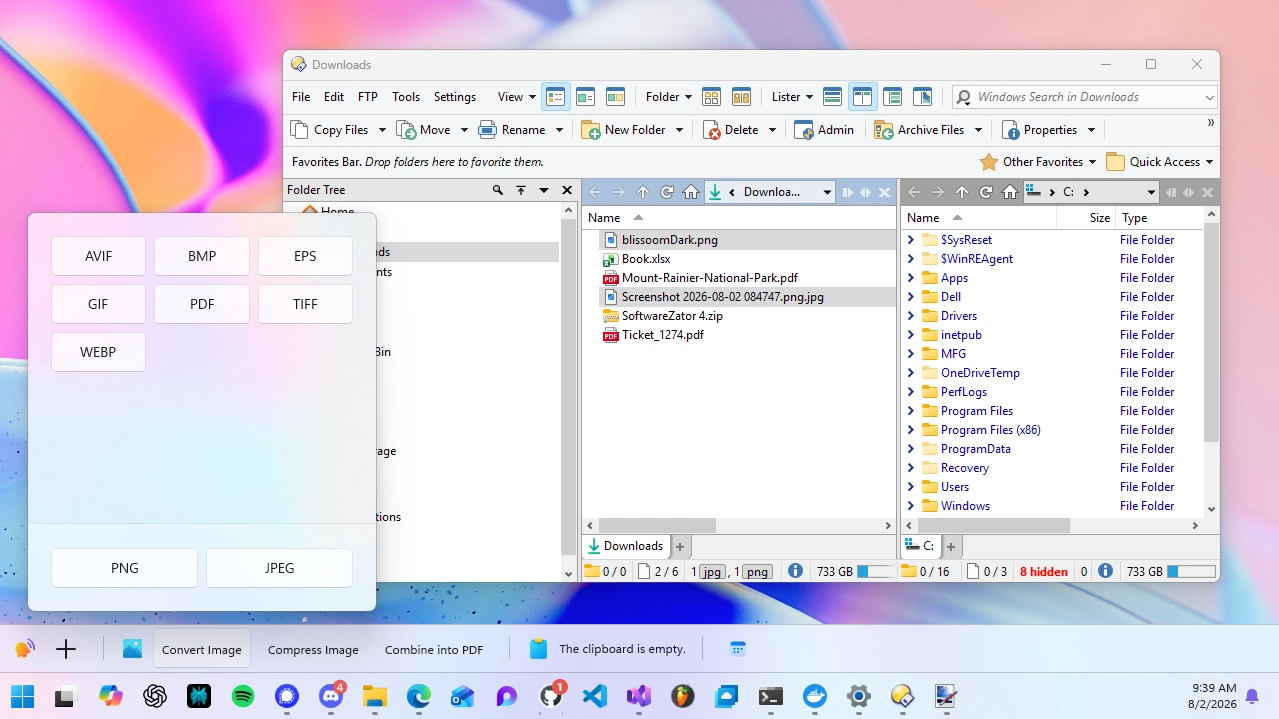
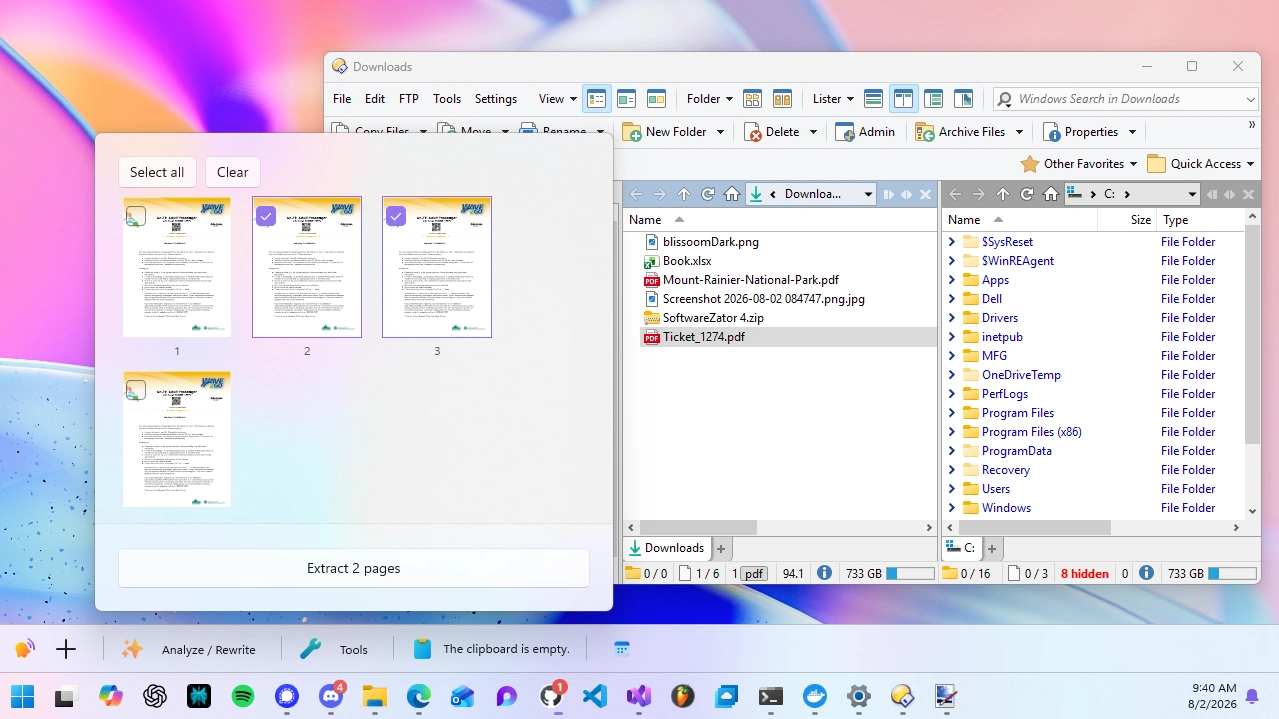
So here's the update: WindowSill now reads the current folder and your selected items in Files and Directory Opus, the same way it already does in File Explorer. If you use one of these two file managers, WindowSill now knows what you're looking at.
Why this matters
WindowSill gets better when it knows your context. When you select an image file, WindowSill can offer to convert, resize or compress it. When you select a PDF, WindowSill can offer to extract pages. This worked in File Explorer for a while now, but File Explorer isn't where everyone lives.
Files, the open-source file manager, has picked up a large following for its clean design and modern feel. Directory Opus has been the power user's tool of choice for decades, with more customization than most people will ever use. Both deserved first-class support, and now they have it.
Nothing changes in how you work. You select a file, you open a folder, and the tools that care about file context light up on your sill. The file manager underneath is now interchangeable.
Files
WindowSill detects Files whether you installed it from the Microsoft Store or as a standalone build. Once it has focus, WindowSill reads the folder you're browsing and the items you've selected, then shows relevant tools.
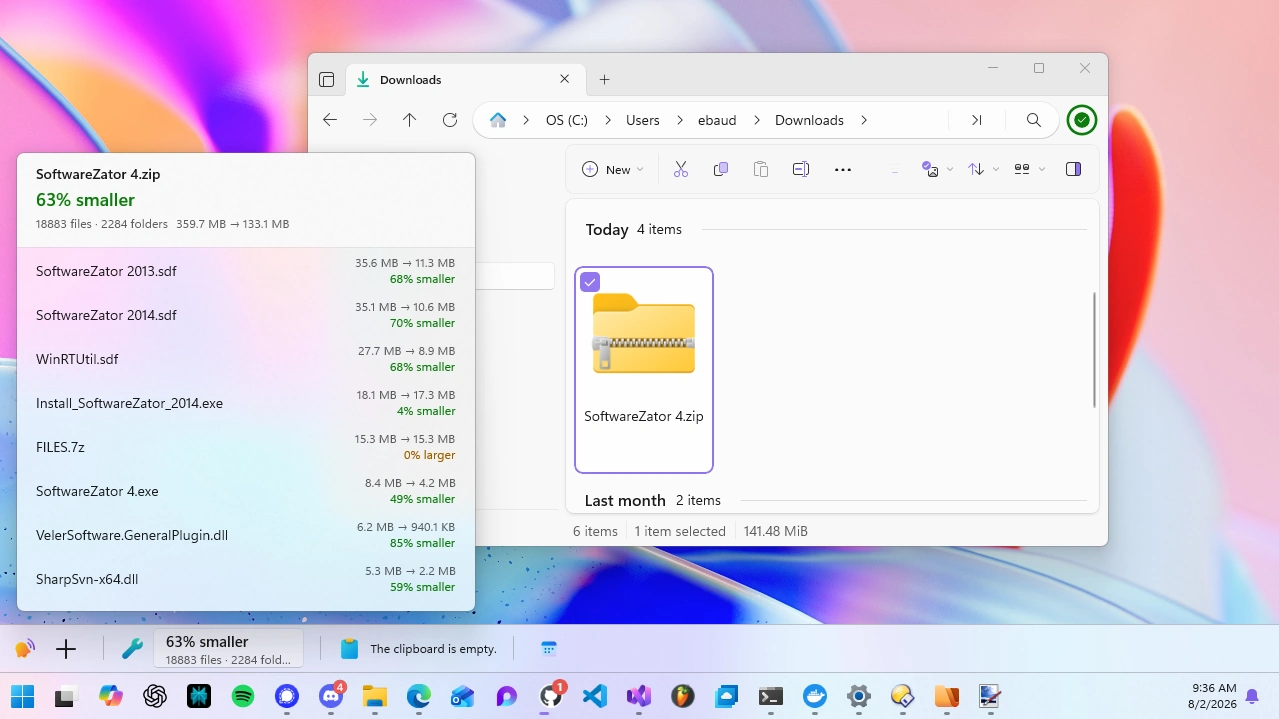
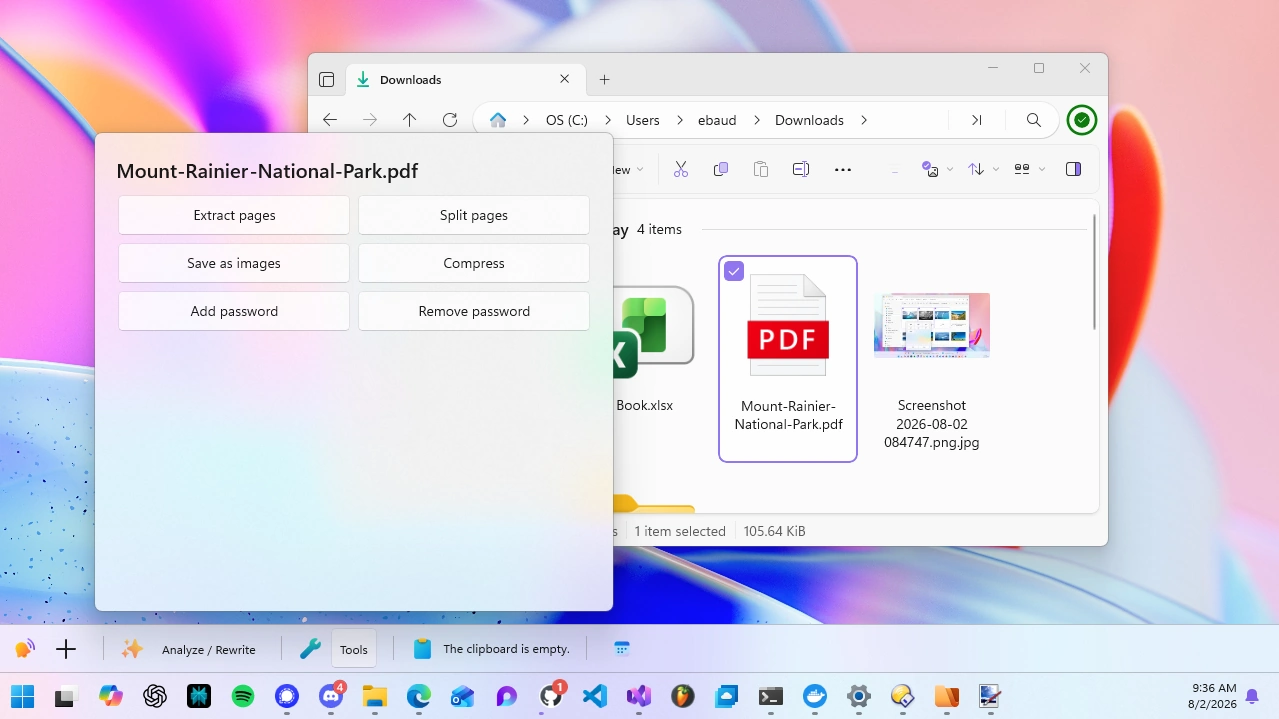
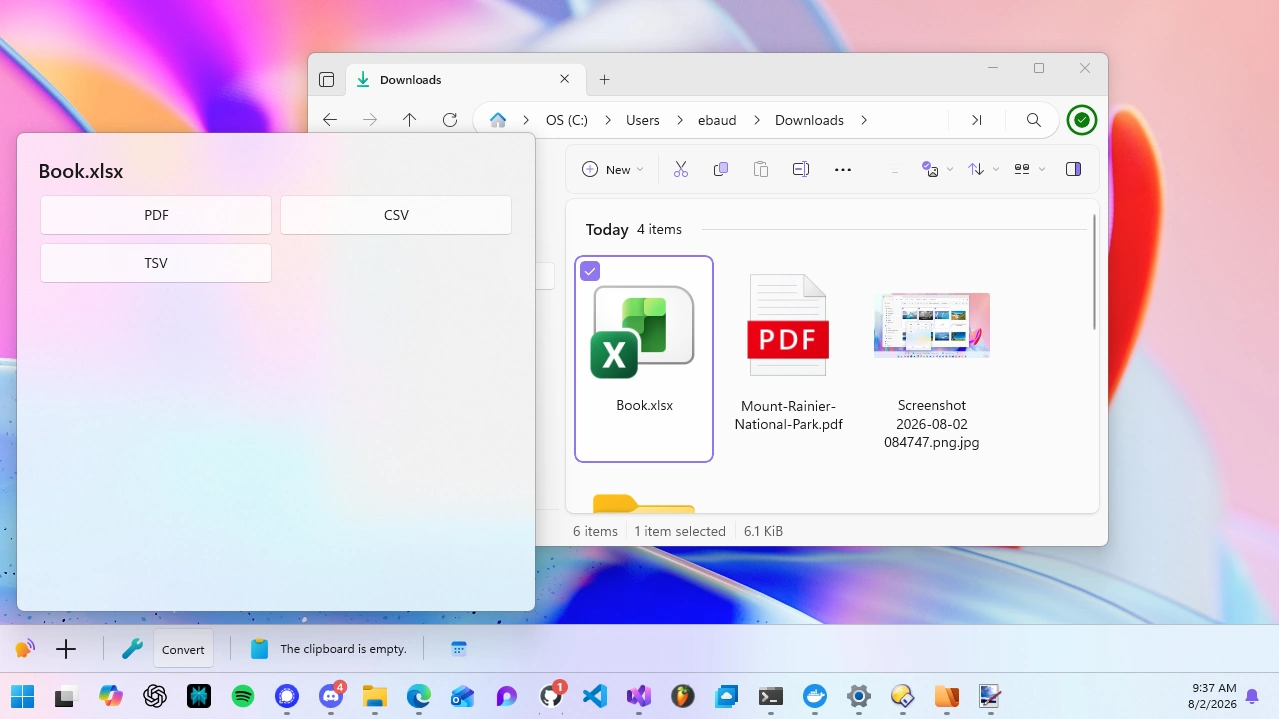
Directory Opus
Directory Opus has a devoted following of power users who've spent years tuning it to fit them exactly. WindowSill now fits right in. Open a folder, select your files, and the same tools show up on your sill.
If you're a long-time Opus user, this is the part I'm most curious to hear feedback on. Opus setups vary wildly, and I want to make sure this feels right across the ways people actually use it.
What you can do with it
The point isn't that WindowSill can see your file manager. It's what it saves you from doing. What shows up on your sill depends on what you select:
- Images: convert, compress, or resize a single image. Select a batch and combine them into one PDF.
- Videos: compress or convert them without opening a heavy editor.
- PDFs: extract or split pages, export to images, or set a password. Select several and merge them into one.
- Word and text documents: convert between formats, or change the file encoding.
- Spreadsheets: convert between them, like turning a CSV into a proper Excel file.
- ZIP archives: see the compression details and peek at what's inside without unzipping anything.
Switch file managers, or use a different one on another machine, and none of this changes. The tools follow you.
Getting started
There's nothing to configure. Update WindowSill, open Files or Directory Opus, select a file, and the right tools show up on your sill.
If you've been holding off on WindowSill because you don't use File Explorer, this is a good time to give it another look.
Frequently Asked Questions
Which file managers does WindowSill support now?
File Explorer, Files, and Directory Opus. Select a file in any of them and WindowSill offers the same tools.
Do I need to change any settings?
No. Support is built in. Update WindowSill, open your file manager, and the right tools show up when you select a file.
Does this work with the Microsoft Store version of Files?
Yes. WindowSill recognizes both the Store install and standalone builds of Files.
Will my existing tools work with Files and Directory Opus?
Yes. Any tool that reacts to a file or folder now works across all three file managers, with nothing extra to set up.
What if I use a different file manager?
Right now the supported set is File Explorer, Files, and Directory Opus. If there's another file manager you'd like to see, let me know. Knowing what people actually use helps me decide what to add next.